Profile README and pinned repos
What you will learn
Create the special profile repository and use it to introduce yourself.
Your profile is your first impression
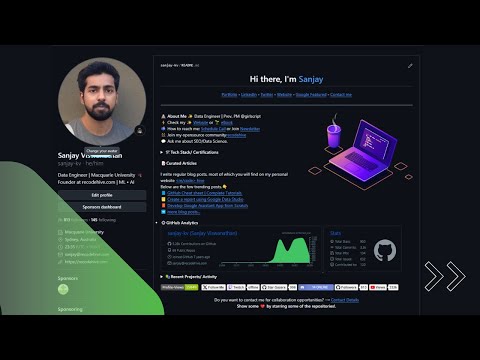
Your GitHub profile is more than a list of repositories. It is your developer brand and often the first thing a mentor, recruiter or collaborator sees. A short, well organised profile makes people stay longer and explore your work.
The one requirement: a repository named after you
GitHub has a special feature for profiles. If you create a public repository whose name is exactly your username, GitHub treats its README as the introduction at the top of your profile. For example, if your username is recode, the repository must be called recode, under the account recode. The name must match exactly, and the repository must be public.
When you create it, GitHub even shows a short message telling you that this repository is special. Tick the option that adds a README, create the repository and then edit README.md.
What to put in it
Keep it short and honest. A good profile README usually answers four questions:
- Who are you? A heading with your name and one sentence about what you do or are learning.
- What are you working on? A line or two about your current projects.
- What can you do? A short list of the languages and tools you use.
- How can people reach you? Links to your portfolio, a social profile or an email address.
Write it in Markdown, the same simple formatting you used for repository READMEs. Headings, bullet lists and links are all you need to start.
Pin your best repositories
Below your README, GitHub lets you pin up to six repositories to the top of your profile. Pin the projects you are proudest of, not simply the newest ones. A clear description on each repository helps visitors understand it quickly, so take a minute to write one.
Why customizing pays off
A customized profile is memorable and engaging, which encourages visitors to explore. It highlights your skills and the projects that matter most to you. Optional dynamic cards can show contribution statistics, streaks and top languages, which is a form of proof that you keep learning. And a tidy, well structured profile shows attention to detail, a quality that teams value.
Keep it up to date
Treat the README like a living page. When you finish a project or learn something new, update it. An outdated profile is worse than a short one, so remove anything that is no longer true.
Try it yourself
Create your profile repository now, add a heading with your name and three lines about yourself, and commit it. Then open your profile page and check that the text appears. If you want to go further, the written guide linked in the resources below covers the optional cards and animations.